While the technology used in industrial touch screen monitors improves every year, I have found these five principles remain true to helping my customers select the right monitor for their production line:
- Physical environment. Suitable technology to protect the monitor.
- Ergonomics. Safety and efficiency of the operator at all times.
- Computer integration. Matching the monitor to your PC and production line software.
- Reliability and price. Long-term uptime, and a competitive cost across the production line.
- Environmental. Sustainable maintenance and disposal.
Let’s elaborate on these principles with some specific considerations, and the technology available in 2026 to support them.
Physical environment
An industrial-grade monitor on a production line will be subjected to conditions that would otherwise cause damage, such as dust, water, knocks, direct sunlight, variable DC power, and wider temperature ranges.
Consideration 1
Is the production line exposed to dust, water, or regular wash-down cleaning?
An ingress protection (IP) rating of 65 (IP65) on the front panel means the screen and bezel are sealed against dust and can be wiped down or rinsed with water spray without damaging the unit. NEMA 4 is the equivalent North American standard. A front-panel IP65 rating is usually enough for routine cleaning of the operator side. The TK1019, TK1850, TK2150, and TK2700 have IP65-rated front panels as standard.
If the production line involves wash-down cleaning on all sides (for example, food production, where water also reaches the back and sides of the monitor), specify the dedicated IP65 frame variant of the 719 or 819, which seals the entire chassis.
Look for: IP65, NEMA 4.
Consideration 2
Could the monitor be bumped or knocked on the production line?
A production line environment is busy and operators, tools, and parts pass close to the monitor all day. An impact protection (IK) rating of 07 (IK07) means the screen surface can absorb everyday bumps and knocks, or an overly-firm press from a busy operator, without cracking or denting. The TK1850 and TK2700 are IK07 tested.
Look for: IK07.
Consideration 3
Is the monitor mounted near a vibration source?
Conveyor motors, stamping presses, packaging machinery, and pneumatic equipment all generate constant vibration that can travel to the monitor and its internal components. Over time this can loosen cable connectors, shorten LED backlight life, and crack solder joints on the mainboard. The result is a monitor that malfunctions before the end of its useful life.
Vibration resistance is a separate test from impact. It is measured under IEC 60068-2-64 (random vibration across a frequency range, with the unit running) and IEC 60068-2-27 (a single mechanical shock). The TK2700 is tested to 1.5 Grms across 5 to 500 Hz for one hour per axis, and to a 10G half-sine shock at 11 milliseconds. That covers most production environments short of heavy stamping equipment.
Look for: IEC 60068-2-64 (vibration), IEC 60068-2-27 (shock).
Consideration 4
Is any part of the production line exposed to direct sunlight?
Plastics can bow or warp over time when exposed to direct ultraviolet (UV) light. A UV-resistant coating on the touch screen panel cover and bezel keeps the surface stable, so the monitor still reads cleanly after years on a sunlit line (a packaging station near a roller door, an outdoor inspection point, or a workstation under a skylight). The TK2700 has a UV-resistant coating as standard.
Look for: UV-resistant coating.
Consideration 5
What temperatures will the monitor be subjected to on the production line?
Cold storage and chilled processing areas operate at regulated temperatures, often at or below 0°C, while a monitor mounted beside other production line equipment can be exposed to heat generated from machinery. An industrial monitor operating in temperature extremes may dim, respond to touch interactions inaccurately, or shut down if not tested and clearly stating operating temperature ranges.
Look for: zero or below for cold storage; 50°C or over when mounted beside machinery.
Consideration 6
How will the monitor be mounted on the production line?
The monitor should ideally be mounted at eye-level for the operator, so they can see and reach the screen without unnecessarily changing their posture during a shift. Standard arms and brackets attach using a standard VESA mount. The smaller models (the 719, 819, and TK1019) use VESA 75; the TK1850 and TK2150 support both VESA 75 and VESA 100; the larger TK2700 uses VESA 100 and VESA 200. If you are fitting the monitor into a custom frame or enclosure, check that mounting screws are supplied so the unit can be secured directly through the chassis.
Look for: VESA 75, VESA 100, VESA 200, supplied mounting screws.
Consideration 7
How variable is the DC power at the monitor on the production line?
Many industrial monitors are installed on a DC 24V power distribution shared by other devices on the production line, such as PLCs and sensors. When those devices switch on or off, or when larger loads on the same power distribution start up, the voltage at the monitor can sag or spike. A monitor with a narrow input range may fail to power on or power off unexpectedly.
A wide DC input voltage range protects against this. The 719 and 819 accept DC 9 to 36V. The TK1019, TK1850, TK2150, and TK2700 accept DC 12 to 24V.
Look for: wide-range DC input (9 to 36V or 12 to 24V), nominal 24V control-power compatible.
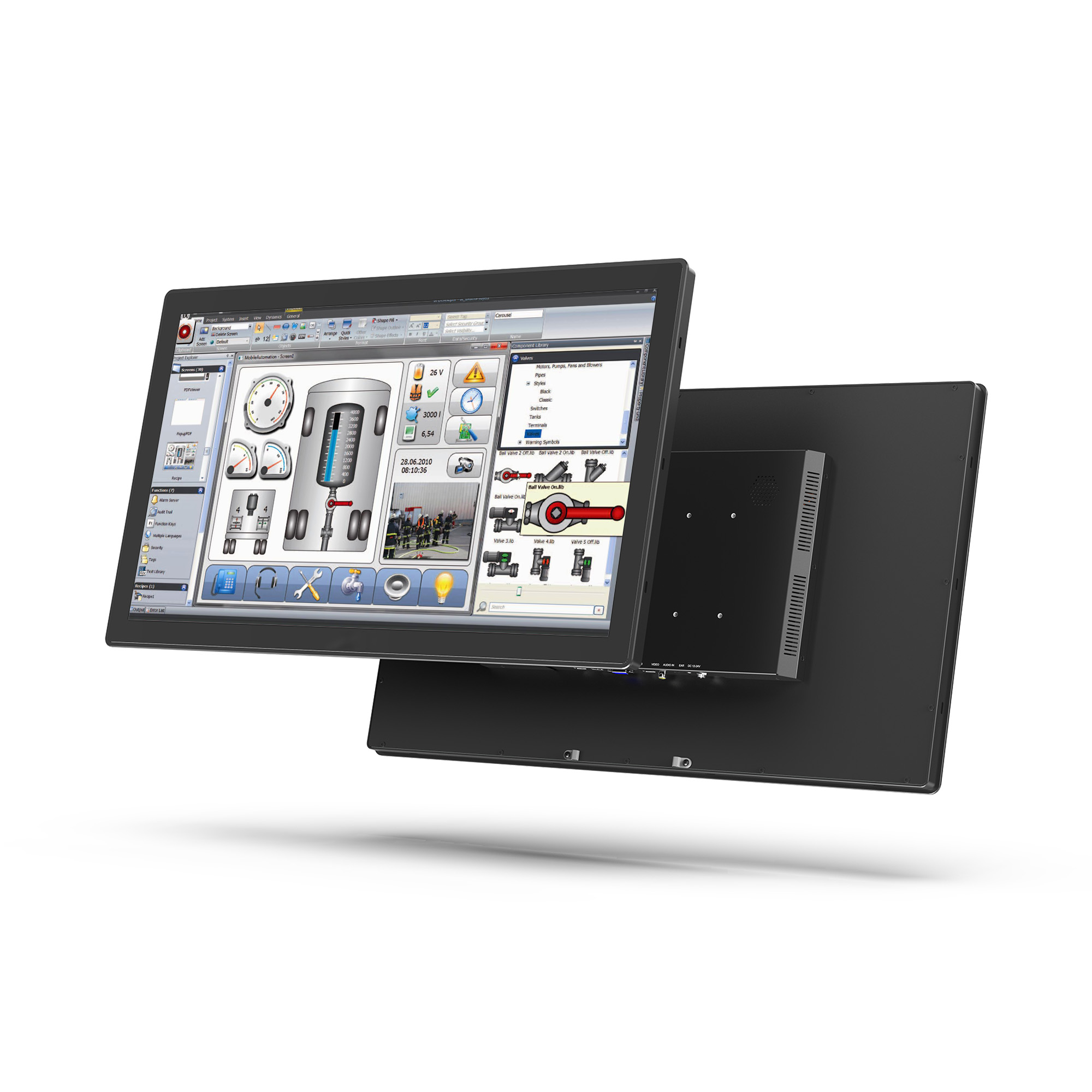
TK2700
Ergonomics
Production line designers need to prioritise the safety of the operators. The right touch screen monitor is an important component choice: the screen must be legible and minimise eye strain under all lighting conditions, register intentional taps precisely, and work in hygienic environments where operators are wearing gloves.
Consideration 8
How is the production line software intended to be displayed?
How the production line software is designed and how it looks on the factory floor are not always the same. Bright and reflective overhead lights can cause carefully-designed GUI elements to appear washed out, or worse, obscured. Specify a monitor with anti-glare, high brightness, and high contrast.
Anti-glare scatters reflections so the screen does not reflect sunlight or bright factory lights back at the operator. Anti-glare is standard on the 819, TK1850, and TK2700.
High brightness (1000 cd/m² or more) keeps the screen legible against the ambient light that does come through. All six models in this guide are 1000 cd/m² or higher.
High contrast (1000:1 or more) keeps colour-coded GUI elements, fine table gridlines, and small black text crisp and bold. Lower contrast can make text appear grey and washed out, especially after ambient light has reduced the apparent contrast at the screen surface. 1000:1 contrast is standard on the TK1019, TK1850, TK2150, and TK2700.
In some production lines, ambient light can change through the day. An auto-dimming backlight measures the surrounding light and adjusts the screen's brightness automatically, so the operator does not have to keep adjusting the monitor's brightness settings as the ambient light changes. The display does not overpower their eyes during a dark evening shift, or wash out when sunlight returns in the morning.
Together, these monitor properties reduce operator eye strain and production line delays caused by unreadable content.
Look for: anti-glare coating, 1000 cd/m² minimum, 1000:1 contrast ratio, auto-dimming backlight.
Consideration 9
What kind of interactions does your production line software require?
The industrial touch screen monitor should enable the production line software design: pinch-to-zoom on a schematic, drag-to-scroll a list of work items, or simultaneous interactions from multiple operators. These interactions need a touch controller that tracks multiple contact points at once. Specify 10-point touch where the software uses gestures. 1-point or 5-point controllers may not register all interactions correctly. Lilliput's industrial touch screen monitors support 10-point touch, and I tend to warn customers about lower-point alternatives when the software is gesture-based.
Look for: 10-point touch.
Consideration 10
How precisely does the production line software need taps to register?
The on-screen buttons, menus, and dashboards will be interacted with by an operator under time pressure. If your production line software has small GUI (graphical user interface) controls, mis-taps can cause production line delays. On some touch screen monitors, a gap between the touch panel and the LCD means the registered tap can sit slightly off the visible control, especially when viewed from an offset angle. Consider touch screen monitors with optical bonding, where an optical clear adhesive (OCA) resin layer bonds the touch panel to the LCD, so the touch layer aligns with the image on screen. Operators may also unintentionally rest a palm or fingers against the screen during interaction. A 10-point touch controller distinguishes the intentional tap from unintentional contact on the screen.
Look for: optically bonded, 10-point touch.
Consideration 11
Do operators work with gloves?
Operators wearing thin gloves, particularly in clean environments, should not be expected to remove the gloves to interact with the screen. Choose an industrial monitor with a projected capacitive (PCAP) touch screen so that operators can use the monitor with thin gloves.
In environments where operators do not wear gloves, consider an anti-fingerprint coating to keep fingerprint smudges from building up on the screen (standard on the 819, TK1850, and TK2700).
Look for: PCAP, anti-fingerprint coating.
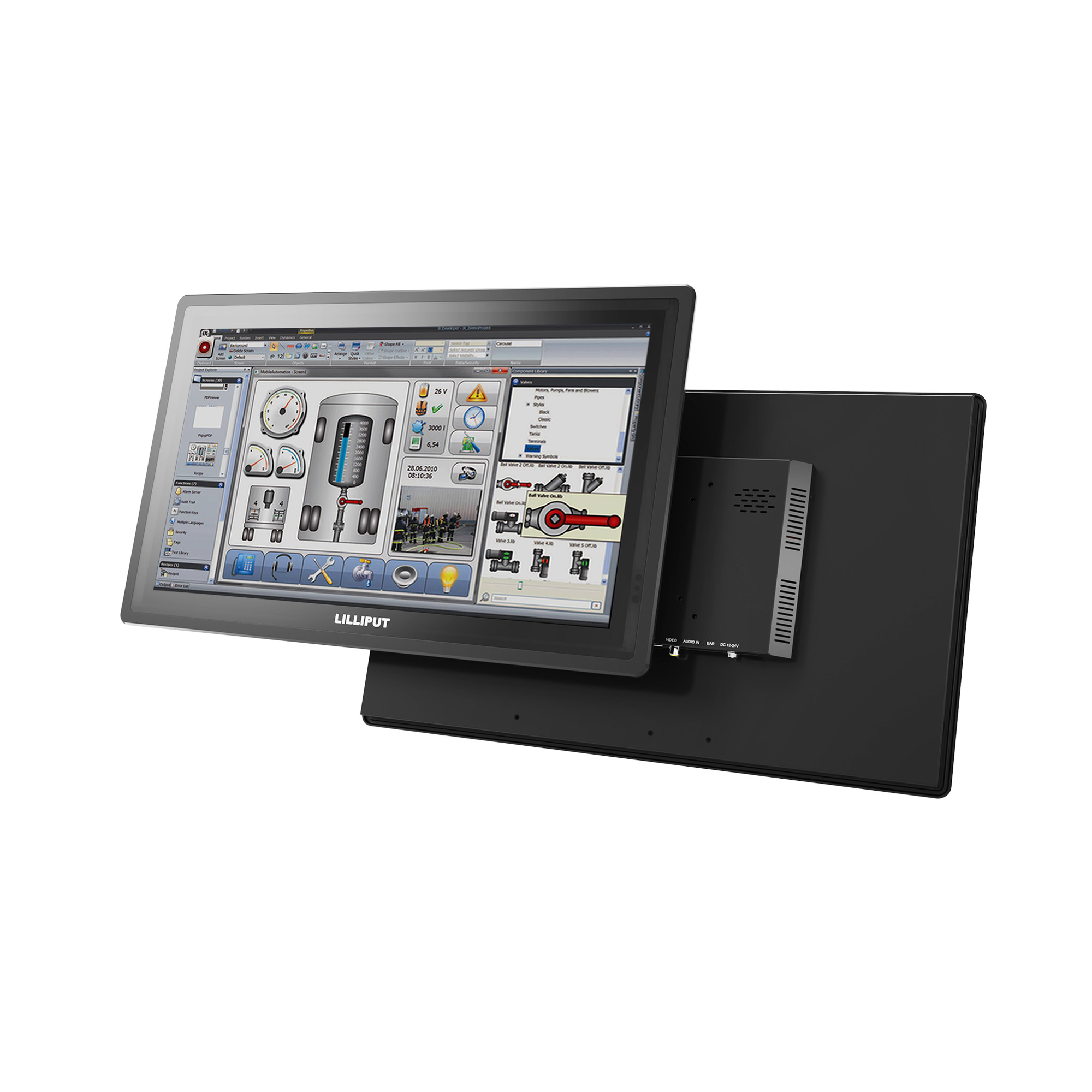
TK1850
Computer integration
Industrial PCs can sometimes be bespoke to the production line. Make sure the monitor is compatible with the software and the PC.
Consideration 12
Does the screen orientation match how your software is laid out?
Production line software is usually pre-designed, so the monitor needs to match its aspect ratio and orientation. For long vertical lists (work instructions, pick lists), 16:9 in portrait works well. For side-by-side dashboards, use 16:9 in landscape. The 16:9 models in this range (the TK1850, TK2150, and TK2700) can be mounted in either orientation. For legacy SCADA software, a 4:3 panel tends to be the optimal choice, such as the 819. 16:10 is the same width as 16:9, but slightly taller, giving around 11% more vertical space (when viewed in landscape). It's a good fit when the operator needs a slightly wider view of a work order list.
Look for: 4:3, 16:9, or 16:10.
Consideration 13
What interfaces are available on the industrial PC?
All six monitors in this range accept HDMI and VGA, covering modern and legacy industrial PCs. Touch connects over USB with no custom driver required on Windows or mainstream Linux. The 819 also accepts USB-C for single-cable video and touch. Check your operating system before buying: most industrial PCs run Windows, but custom Linux builds may need driver verification.
Look for: HDMI, VGA, USB-C.
Consideration 14
Does the functionality of the monitor need to be adapted to your production line?
I regularly support my customers by partnering with our manufacturing plant to customise the monitor firmware, even after the monitors have been installed. In my experience, this has included auto-switching channel when a video source is connected and changing the functionality of the hardware buttons. Your industrial touch screen monitor should be flexible enough to adapt to your production line design.
Look for: firmware customisation.
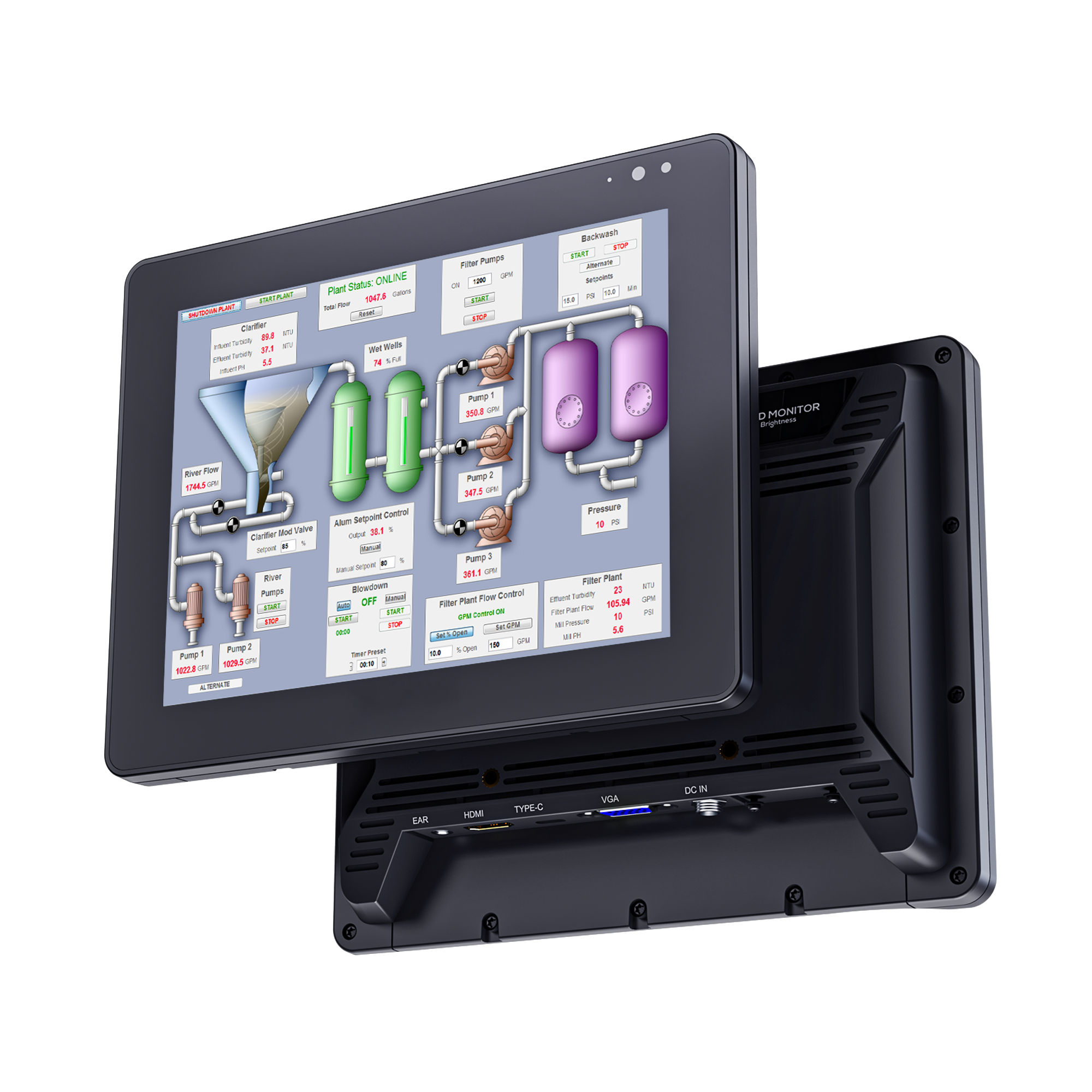
819
Reliability and price
A production line runs for years and is deployed at scale. The monitor needs to keep running over a long working life, and the price has to be competitive across tens or hundreds of units.
Consideration 15
How many hours a day will the monitor run?
Industrial monitors are often left on for an entire shift, and sometimes for the full 24 hours of a continuous production line. The most common limiting component is the LED backlight, which has a finite rated lifetime. Look for a backlight rated at 50,000 hours, roughly twelve years at eleven hours per day, or around six years on a continuous shift. The 719, 819, and TK1019 are published at this rating; ask for the published figure on the model you are specifying.
Look for: 50,000 hour LED backlight.
Consideration 16
What happens if the monitor fails?
If the monitor goes down and the production line stops, replacement speed matters. Check that your supplier holds local stock and can turn around a replacement quickly.
Look for: local stock, consistent supply.
Consideration 17
What are the monitor features that are critical to your production line?
While this guide lists the main properties to look for in an industrial touch screen monitor, it is also important to consider what you won't need. Some industrial touch screen monitors pile irrelevant features or accessories into a one-size-fits-all model, trying to cater for too many use-cases, many of which are surplus to requirements for production line use. This pushes up the unit price, and therefore the total cost when deploying tens or hundreds of monitors. The unused accessories take up valuable storage space, or end up in landfill. Lilliput's approach is to start with the base monitor, then add the accessories necessary for the application (such as stands, styluses and mounting frames). I like this approach because it tailors the price to the individual customer.
Look for: a base model with optional accessories.
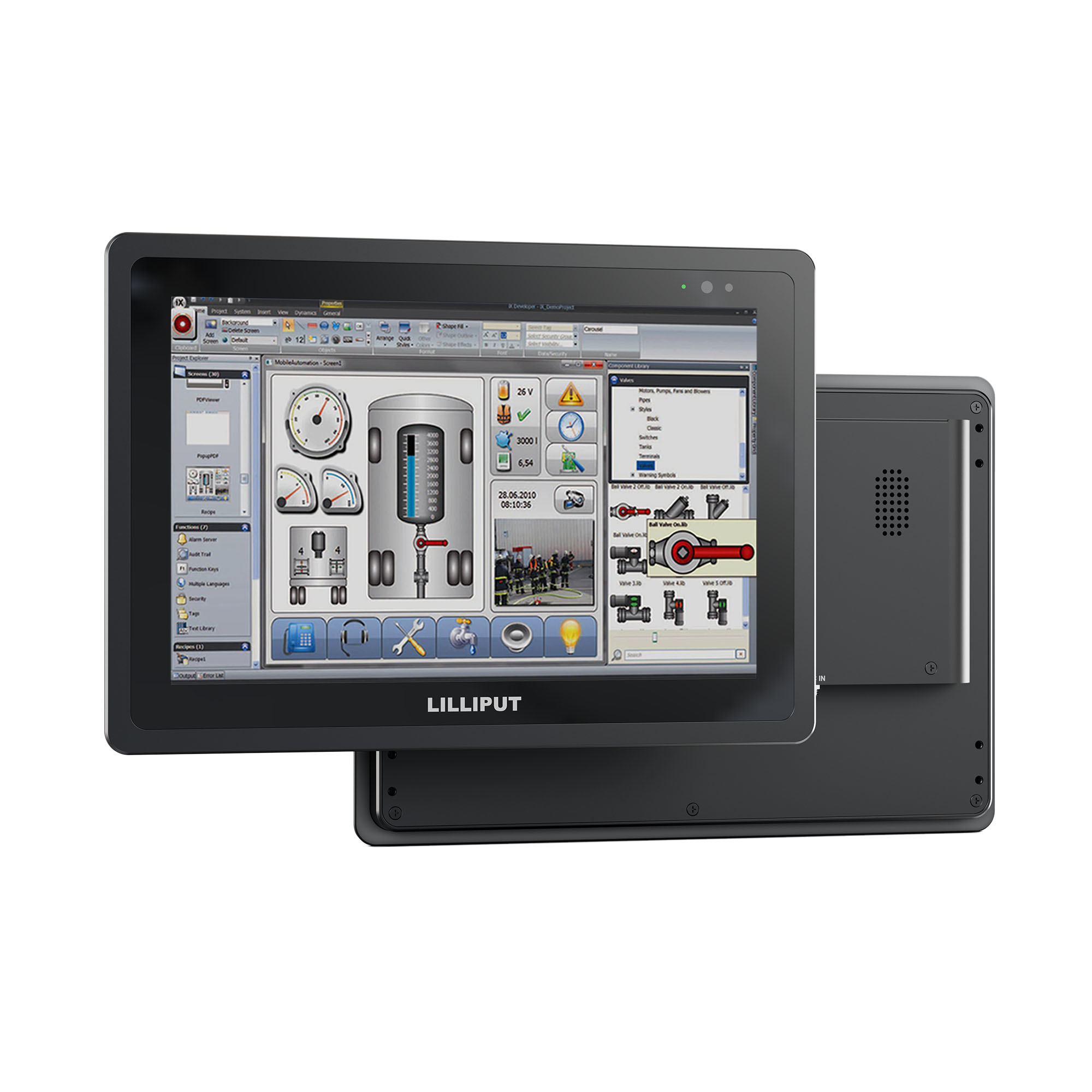
TK1019
Environmental
Industrial monitors are subject to environmental compliance requirements through their working life and at end of life. The right monitor and supplier make these obligations straightforward to meet.
Consideration 18
Does the monitor meet your sector's environmental compliance requirements?
RoHS compliance is mandatory for industrial touch screen monitors sold in the EU or UK. RoHS restricts hazardous materials inside the product. All six monitors in this range are RoHS compliant. I always make sure my customers receive the declaration of RoHS conformity for their compliance records.
ISO 14001:2015 covers how the manufacturer itself operates: how the factory manages its emissions, waste, energy, and broader environmental impact, audited annually by an independent body. Lilliput's manufacturing facility is ISO 14001:2015 certified, which is often a requirement on supplier evaluation forms for buyers in regulated sectors such as food, pharmaceutical, and automotive.
Look for: RoHS, ISO 14001:2015.
Consideration 19
How long will the monitor model be available for?
Reputable industrial monitor manufacturers like Lilliput acknowledge the long-term investments of production lines, and we regularly support our existing customers with models that are now over 20 years old.
Look for: long-term availability.
Consideration 20
What happens when the monitor reaches end of life?
Production lines are designed and invested in for the long-term, but eventually components need to be replaced. I recommend to my customers to consider long-term availability of supply and availability of spare parts (mainboards, LCD panels, cable assemblies, power adapters) if the customer needs to repair a unit out of warranty.
Confirm your supplier supports WEEE (Waste Electrical and Electronic Equipment) collection for safe recycling when the monitor is eventually retired.
Look for: spare parts availability, WEEE compliance.
Compare the range
I have curated some of Lilliput’s industrial-grade monitors into the table below for quick comparison across my checklist. Although I don’t use it in isolation, I use it as a starting point for recommending the right touch screen monitor.
| 719 | 819 | TK1019 | TK1850 | TK2150 | TK2700 | |
|---|---|---|---|---|---|---|
| Physical environment | ||||||
| IP rating | IP65 (optional frame) | IP65 (optional frame) | IP65 front | IP65 / NEMA 4 | IP65 front | IP65 / NEMA 4 |
| IK rating | — | — | — | IK07 | — | IK07 |
| Vibration tested | — | — | — | — | — | 1.5 Grms (IEC 60068-2-64) |
| UV-resistant coating | — | — | — | — | — | Yes |
| VESA mount | 75 | 75 | 75 | 75, 100 | 75, 100 | 100, 200 |
| Operating temperature | -20 to 60°C | -25 to 75°C | -20 to 70°C | -10 to 60°C | 0 to 50°C | -10 to 50°C |
| DC input voltage | 9 to 36V | 9 to 36V | 12 to 24V | 12 to 24V | 12 to 24V | 12 to 24V |
| Ergonomics | ||||||
| Brightness | 1000 cd/m² | 1000 cd/m² | 1500 cd/m² | 1000 cd/m² | 1000 cd/m² | 1000 cd/m² |
| Anti-glare coating | — | Yes | — | Yes | — | Yes |
| Anti-fingerprint coating | — | Yes | — | Yes | — | Yes |
| PCAP touch | Yes | Yes | Yes | Yes | Yes | Yes |
| 10-point touch | Yes | Yes | Yes | Yes | Yes | Yes |
| Computer integration | ||||||
| Screen size | 7 inch | 8 inch | 10.1 inch | 18.5 inch | 21.5 inch | 27 inch |
| Aspect ratio | 16:10 | 4:3 | 16:10 | 16:9 | 16:9 | 16:9 |
| Native resolution | 1280 x 800 | 1280 x 768 | 1920 x 1200 | 1920 x 1080 | 1920 x 1080 | 1920 x 1080 |
| Video inputs | HDMI, VGA | HDMI, VGA, USB-C | HDMI, VGA | HDMI, VGA, AV | HDMI, VGA, AV | HDMI, VGA, AV |
| Reliability | ||||||
| LED backlight life | 50,000 h | 50,000 h | 50,000 h | — | — | — |
| Local stock | Yes | Yes | Yes | Yes | Yes | Yes |
| Environmental | ||||||
| RoHS compliant | Yes | Yes | Yes | Yes | Yes | Yes |
| ISO 14001:2015 manufacturer | Yes | Yes | Yes | Yes | Yes | Yes |
Get a recommendation from me
I hope this checklist helps you choose the right industrial touch screen monitor for your production line. These considerations are not all must-haves. They are simply factors that you should consider to make sure you buy the most suitable touch screen monitor for your production line. Ultimately, this is only a guide: in my experience, the best decisions are made when production line engineers, software developers, and hardware vendors work through the requirements together. If you need advice, get in touch below and I will be happy to talk you through the checklist, or arrange a visit to your factory to test Lilliput monitors in your environment.